
This article contains affiliate links. As an Amazon Associate, I earn from qualifying purchases at no extra cost to you.
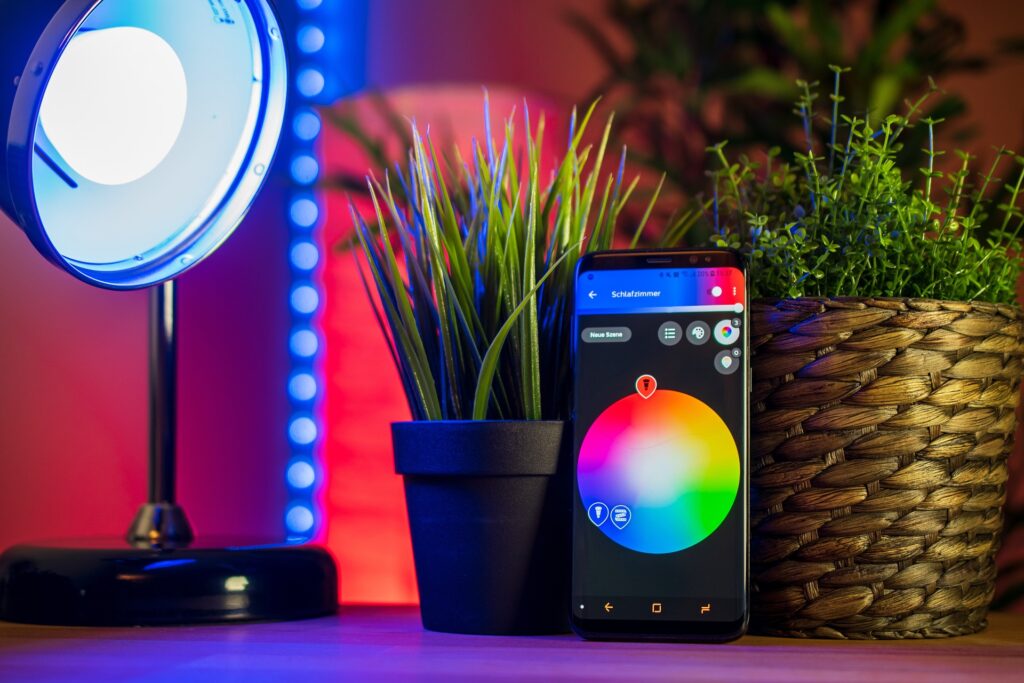
Smart home technology can make daily life easier, safer, and more enjoyable. From smart speakers to lighting, security cameras, and appliances, there are countless ways to automate and enhance your home. Choosing the right devices can be overwhelming, but this guide breaks it down so you can make informed decisions.
Types of Smart Home Devices
Understanding the main categories helps you prioritize which devices to buy first.
Smart Speakers and Assistants
- Control other devices with your voice
- Play music, answer questions, and set reminders
- Examples: Amazon Echo Dot, Google Nest Mini
Smart Lighting
- Automate schedules, adjust brightness, and change colors
- Energy-efficient and customizable
- Examples: Philips Hue, LIFX, Nanoleaf
Smart Security
- Video doorbells, cameras, and sensors protect your home
- Motion alerts and remote monitoring
- Examples: Ring Video Doorbell 4, Arlo Pro 4, SimpliSafe Sensors
Smart Appliances
- Automate kitchen, laundry, and other household tasks
- Schedule, monitor, and control remotely
- Examples: Instant Pot Smart Wi-Fi, Samsung Family Hub, LG Smart Washer/Dryer
Smart Plugs and Outlets
- Turn any device into a smart device
- Control appliances, lamps, or electronics remotely
- Examples: TP-Link Kasa Smart Plug, Wemo Mini Smart Plug
For specific device guides, check out our cluster articles: Best Smart Home Gadgets, Best Smart Security Gadgets, Best Smart Lighting Systems, and Best Smart Home Appliances.
Key Factors to Consider
When building your smart home, focus on these features:
- Compatibility: Make sure devices work with your ecosystem (Alexa, Google Home, Apple HomeKit).
- Ease of Installation: Devices should be user-friendly and easy to integrate.
- Automation and Scheduling: Look for routines, triggers, and programmable actions.
- Energy Efficiency: Many smart devices reduce electricity consumption.
- Security and Privacy: Choose devices with encrypted data and strong privacy policies.
- Budget: Start with essential devices and expand gradually.
For detailed recommendations on smart security, see our guide to the best smart security gadgets.
Building a Smart Home Step by Step
- Start Small
Choose one device category, like smart lighting or security, and learn how to integrate it. - Choose a Compatible Ecosystem
Focus on devices that work together for seamless control through one app or assistant. - Automate Routines
Set schedules for lighting, coffee makers, or thermostats to save time and energy. - Expand Gradually
Add cameras, sensors, plugs, and appliances over time. Consider areas where automation will save the most effort. - Monitor and Adjust
Use apps and routines to refine automation, improve efficiency, and enhance convenience.
For lighting solutions, check out our best smart lighting systems guide. Or for connected appliances be sure to have a look at our best home appliances.
Frequently Asked Questions
Do I need a smart hub?
Some ecosystems require hubs (like Philips Hue), but many devices connect directly via Wi-Fi.
Are smart home devices secure?
Choose devices from reputable brands, enable encryption, and update firmware regularly.
Can I automate my whole house at once?
Yes, but it’s better to start with key devices and expand gradually for easier setup and troubleshooting.
Do smart devices save money?
Yes, energy-efficient lights, thermostats, and appliances can reduce bills while adding convenience.
Building a smart home is easier than ever. Start with devices that provide the most convenience or security for your lifestyle, then expand over time. Focus on compatibility, usability, and long-term value. A well-planned smart home will save time, enhance comfort, and provide peace of mind.
For a complete overview of smart devices and tips to get started, see our full smart home gadgets.