
This article contains affiliate links. As an Amazon Associate, I earn from qualifying purchases at no extra cost to you.
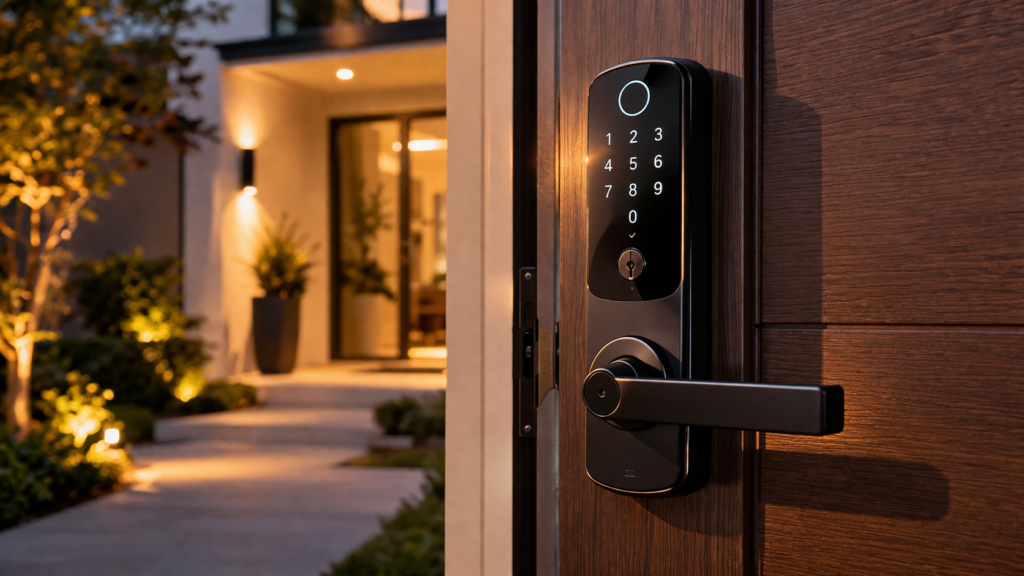
A smart door lock sounds like a convenience upgrade until you realize it’s actually a security decision.
Most people focus on features like fingerprint access or app control, but ignore what really matters: reliability, build quality, and how the lock performs under daily use. That’s where bad choices show up.
A lock isn’t something you want to troubleshoot. It needs to work every time without hesitation.
If you’re building a connected setup, smart locks are often the first real step beyond cameras and doorbells, especially when paired with systems from best smart home gadgets in 2026.
Why Most Smart Door Locks Fail in Real Use
Most problems don’t show up on day one. They show up over time.
• Slow or delayed unlocking
• App connection issues
• Battery draining too quickly
• Weak locking mechanisms
These issues aren’t just annoying. They defeat the purpose of having a smart lock in the first place.
Security devices need consistency, not just features.
What Actually Matters Before You Buy
Before looking at specific options, filter based on real-world performance.
• Lock strength and build quality
• Unlock speed and responsiveness
• Backup access (key or keypad)
• Battery life and alerts
• App reliability
This is also where many buyers overlook compatibility. If you’re planning a full system, this complete smart home buying guide helps avoid issues later.
Ignoring these basics is what leads to regret.
Quick Comparison (Best Picks at a Glance)
| Product | Best For | Strength | Limitation |
|---|---|---|---|
| August Smart Lock Pro | Existing doors | Easy install + strong app | Requires existing deadbolt |
| Schlage Encode Smart Lock | Security | Built-in WiFi + durability | Higher price |
| Yale Assure Lock 2 | Flexibility | Multiple access options | Battery dependent |
| Ultraloq U-Bolt Pro | Value | Fingerprint + keypad combo | App can lag |
Best Overall for Most Homes
August Smart Lock Pro with app control and auto-lock features is the most practical choice for most setups.
It installs over your existing deadbolt, which means you don’t need to replace your entire lock. That alone makes it one of the easiest upgrades.
It’s reliable, consistent, and avoids the common issues that cheaper smart locks run into.
Best for Maximum Security
Schlage Encode Smart Lock with built-in WiFi and advanced encryption stands out for strength and reliability.
It’s built like a traditional high-security lock but adds smart functionality without compromising durability. This is the type of lock you choose when security matters more than convenience.
Best for Flexibility and Features
Yale Assure Lock 2 with keyless entry and multiple access methods gives you more ways to unlock your door.
You can use a keypad, app, or integrate it into a smart system. That flexibility is useful for households with multiple users.
Best Budget-Friendly Smart Lock
Ultraloq U-Bolt Pro with fingerprint and keypad access covers the basics without sacrificing functionality.
It’s one of the few affordable options that still offers multiple unlocking methods, making it a solid entry point.
What Most People Regret After Installing a Smart Lock
This is where real issues show up.
Most people don’t regret getting a smart lock. They regret choosing the wrong one.
• Slow response times
• Battery dying unexpectedly
• App disconnecting
• Lock feeling less secure than expected
These problems don’t show up in product descriptions, but they affect daily use.
Smart Lock Connectivity (WiFi vs Bluetooth vs Hub)
This is one of the most misunderstood parts of smart locks, and it directly affects how convenient your setup actually feels.
WiFi-enabled locks connect directly to your network, which means you can control them remotely without extra devices. This is the easiest setup for most people.
Bluetooth locks are more energy-efficient but require you to be physically nearby. They work well for basic use but feel limited over time.
Some locks require a hub to connect remotely. This adds an extra step but often improves stability and battery performance.
Choosing the wrong connection type is a common mistake. Most people expect full remote control, but not every lock supports it out of the box.
Deadbolt vs Smart Lock (What You Should Know)
A smart lock doesn’t replace security. It enhances it.
High-quality smart locks still use strong deadbolt systems. The smart features are layered on top.
If the base lock isn’t strong, the smart features don’t matter.
That’s why build quality should always come first.
How Smart Locks Improve Everyday Security
A smart lock gives you control you don’t get with traditional locks.
You can:
• Lock and unlock remotely
• Monitor access history
• Create temporary access codes
Smart locks give you control over access, but combining them with automation tools like those explained in smart plugs that actually save energy allows you to control power and activity throughout your home, creating a more complete smart system.
When combined with systems like those in best smart security gadgets for your home, the security benefits become much stronger.
Who Should Actually Buy a Smart Lock
Not everyone needs a smart lock, but for the right person, it’s a major upgrade.
If you frequently forget keys or want to eliminate them completely, a smart lock makes everyday access easier.
If you have multiple people entering your home, like family members or guests, being able to create and manage access codes becomes extremely useful.
It’s also ideal for anyone who wants more visibility and control over who enters their home without being physically present.
For simple, single-user households, a traditional lock may still be enough. But once convenience and control become priorities, a smart lock becomes a clear upgrade.
Installation Mistakes to Avoid
Most smart lock issues come from poor installation.
• Misaligned deadbolts
• Loose mounting
• Incorrect calibration
Even a high-quality lock can feel unreliable if it’s not installed properly.
Are Smart Locks Actually Safe
This is one of the most common concerns, and it’s a valid one.
A well-built smart lock is just as secure as a traditional deadbolt, and in some cases, even more secure due to added monitoring and control features.
Most high-quality models use encryption and secure authentication to prevent unauthorized access.
The bigger risk usually comes from poor setup, weak passwords, or low-quality products, not the technology itself.
As long as you choose a reliable brand and set it up properly, a smart lock does not reduce your security. In many cases, it improves it.
Top Picks from this Article
Want the short version? These are the best smart locks based on security, convenience, and everyday usability.
A highly compatible smart lock that works seamlessly with major smart home systems while keeping your existing deadbolt.
View price on AmazonA secure and easy-to-use smart lock with built-in Wi-Fi, keypad access, and strong reliability for everyday home security.
View price on AmazonFeatures That Are Worth Paying For (And What to Skip)
Worth paying for:
• Strong locking mechanism
• Reliable app performance
• Backup entry options
Not worth it:
• Overly complex integrations
• Features you won’t use
Focus on performance, not marketing features.
Which Smart Lock Should You Choose
Most people don’t need the most advanced lock.
They need one that works consistently and feels secure every time they use it.
If you want the simplest upgrade, August is the safest choice.
If security is your top priority, Schlage is the better option.
If you want flexibility, Yale makes more sense.
If you’re starting on a budget, Ultraloq is a solid entry point.